Quill
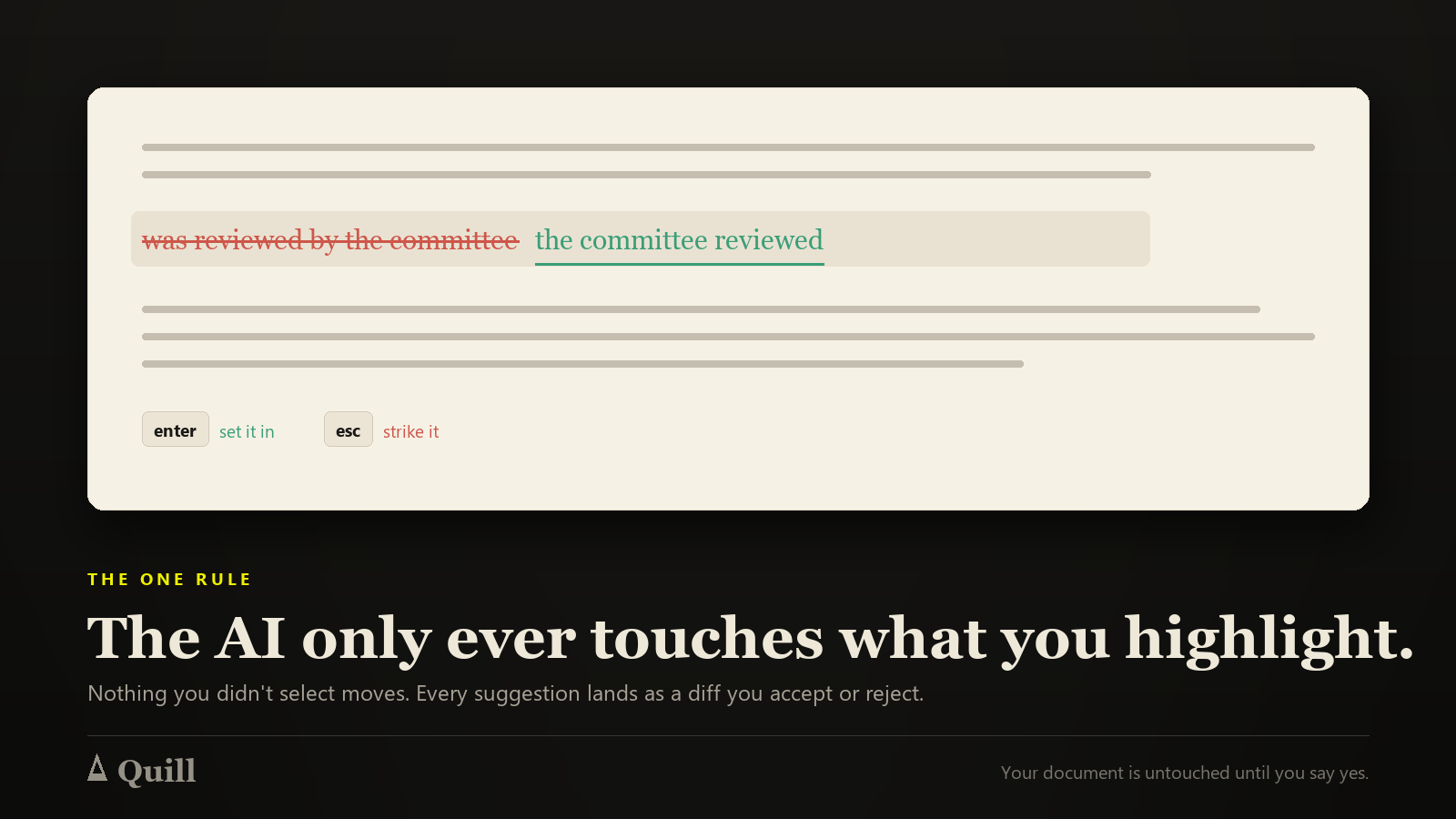
AI-poweredA writing studio where the AI only ever touches what you highlight.
What you get
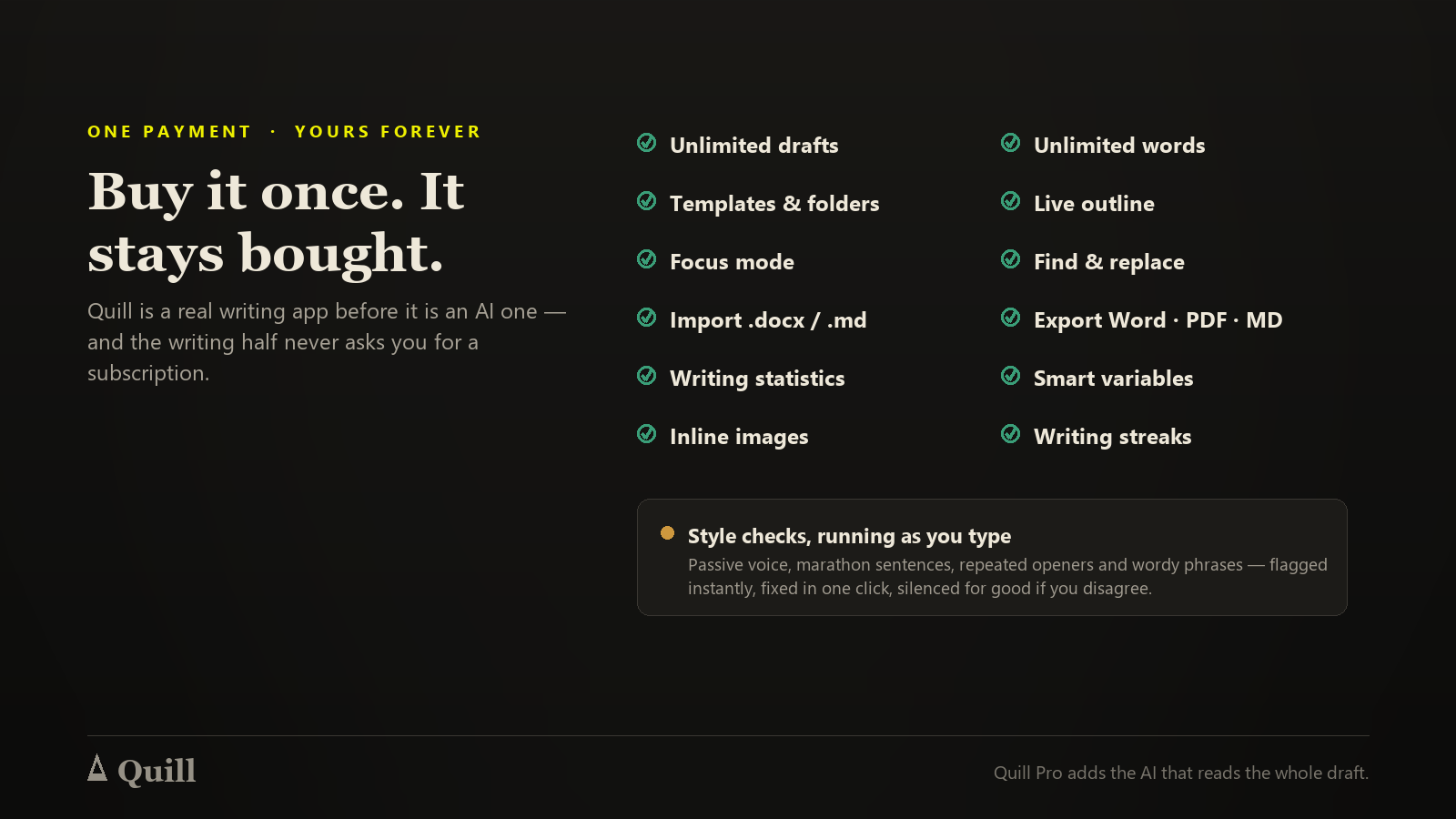
- Folders, templates and an outlineA studio, not a text box
- Find and replace, word goals, focus modeThe unglamorous things you actually use
- Export to Word, PDF and MarkdownYour words leave with you
- Highlight, and the AI refines exactly thatQuill Pro — never the whole document behind your back
- Inline diffs you accept or rejectQuill Pro — every change is a decision you make
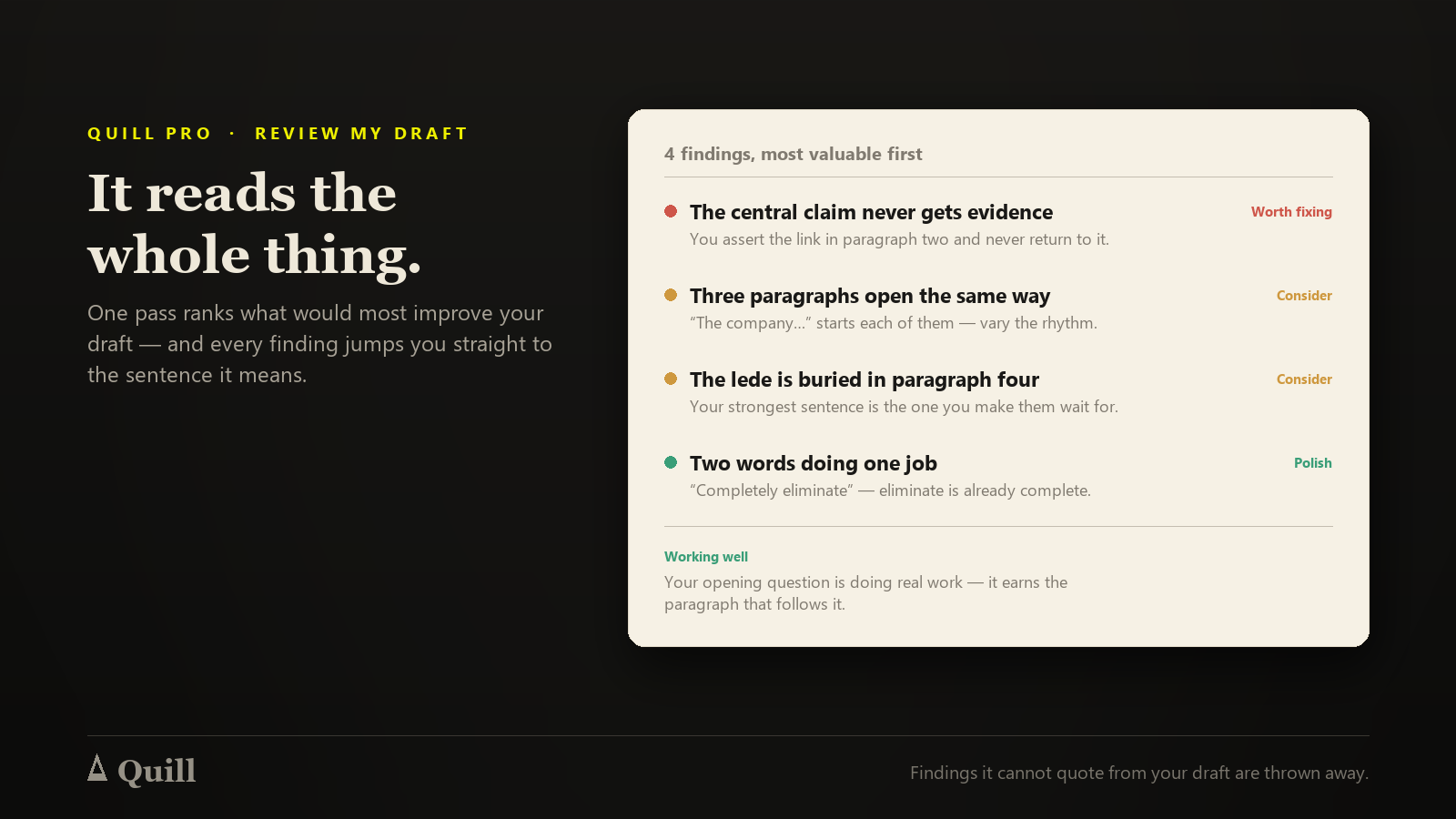
- Review my draftQuill Pro — weak claims, buried ledes and repetition, with jump-to-line
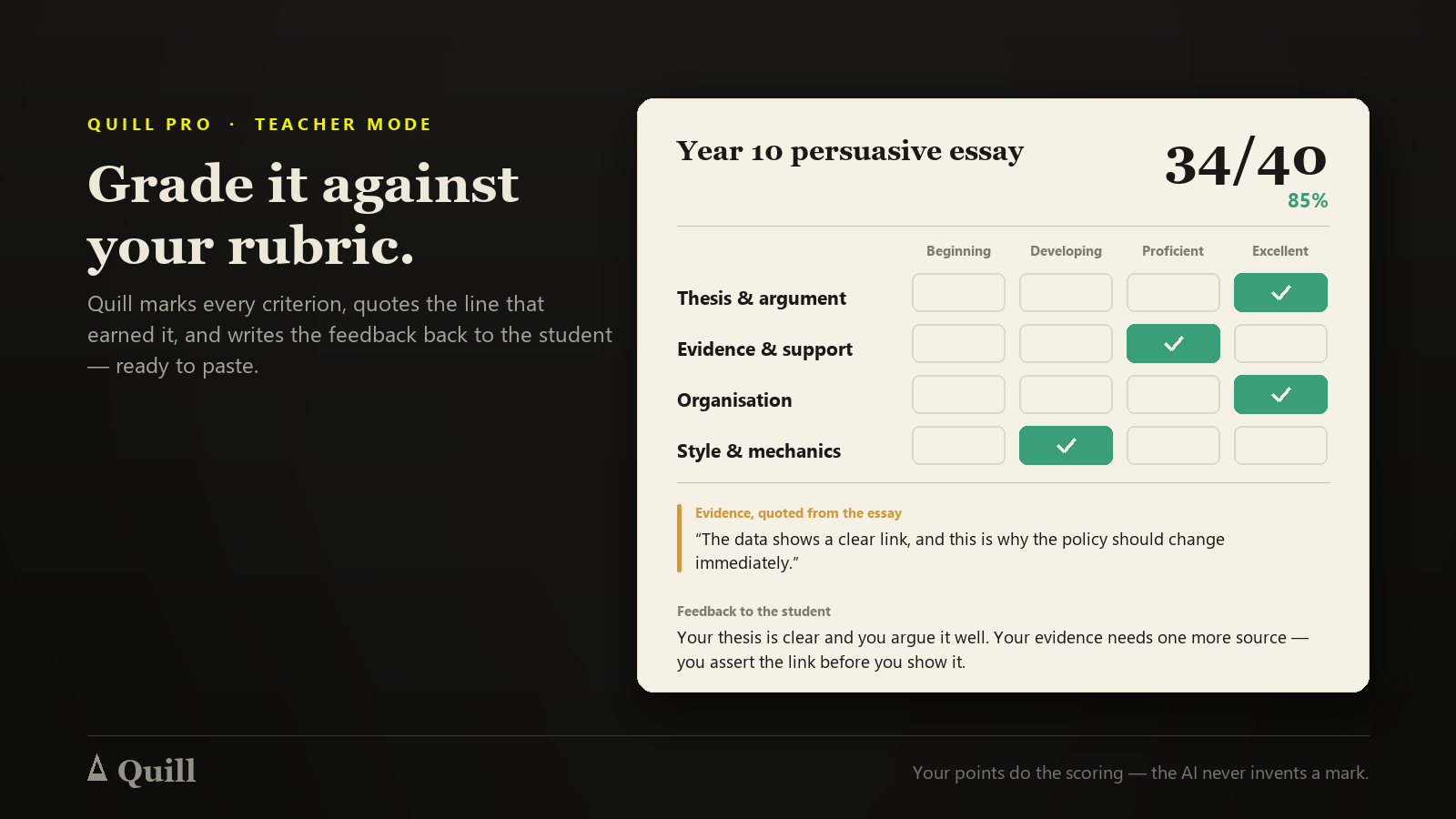
- Teacher ModeQuill Pro — grade against your rubric, feedback you can paste to the student
- Research dock with citationsQuill Pro — APA, MLA or Chicago, from your own sources
- Version historyQuill Pro — go back to Tuesday's draft
- Train a persona on your own writingQuill Pro — so the suggestions sound like you
Is this for you?
- Students & academicsCite as you write, and check a claim against your own sources
- TeachersGrade a class against one rubric and hand back feedback in the student's language
- Professional writersA scalpel, not a ghostwriter — you keep the voice
- Anyone who writes long thingsA free studio with no word limit on any draft
Free to use — upgrade for more
Every AI tool in Quill: highlight-to-refine, whole-draft review, rubric grading with copy-paste feedback, ask-your-draft, fact-checking against your sources or the live web, an originality pass, citations, your own trained voice, and version history.
$5/mo
- 300 AI credits a month
- Highlight-to-refine — fix grammar, tighten, simplify or bullet any selection, and fix style checks in one click
- Review my draft — one pass finds the weak claims, buried ledes and repetition, with a jump-to-line for each
- Teacher Mode — grade against your rubric and get feedback you can paste straight to the student
- Ask your draft — answer questions about your own document and its sources
- Context Fusion + Ghost Infill — match the surrounding flow, or expand shorthand into prose
- Verify a claim against your own sources, or against the live web (50 web checks a month)
- Originality pass, citations in APA, MLA or Chicago, and your own trained voice
- Version history, 200 drafts and 300 images (free: 10 drafts, 20 images)
About Quill
The AI only ever touches what you highlight
Select a sentence, a paragraph or a section, and ask for exactly one thing: tighten it, make it plainer, expand the shorthand. What comes back is an inline diff. You accept it or you reject it. Nothing rewrites itself.
A studio, not a chat window
Folders, templates, an outline that navigates, find-and-replace, focus mode and word goals — all free. Version history and the AI come with Quill Pro.
Bring your sources with you
The Research Dock holds the PDFs, pages and notes behind the draft. Verify a claim against them, generate a bibliography in the style you need, or run an originality pass to find published passages that match yours.
Recent updates to Quill
- New
Quill is now a free writing studio
Write, organise, import and export up to 10 drafts for free, with style checks as you type. Quill Pro is the AI — highlight-to-refine, whole-draft review, Teacher Mode for grading against your rubric, citations and fact-checks — and your first 7 days are free.
- New
Draft deadlines now show in your drafts list
Give a draft a due date and it appears right on its row — amber as it gets close, red once it's past. Sort the whole list by "Due soonest" to see what to write next.
Requirements
A Yakura account. Nothing to install and no API key — start typing. Quill is free to use; Quill Pro is the monthly plan for the AI tools, and your first 7 days are free.
More like this



Customer reviews
Sign in to write a review.